01Fill
Click a color. The selection takes it.
Switch to Stroke at the top, or Option-click. Shift-click copies the HEX.
A free panel for Adobe Illustratorby
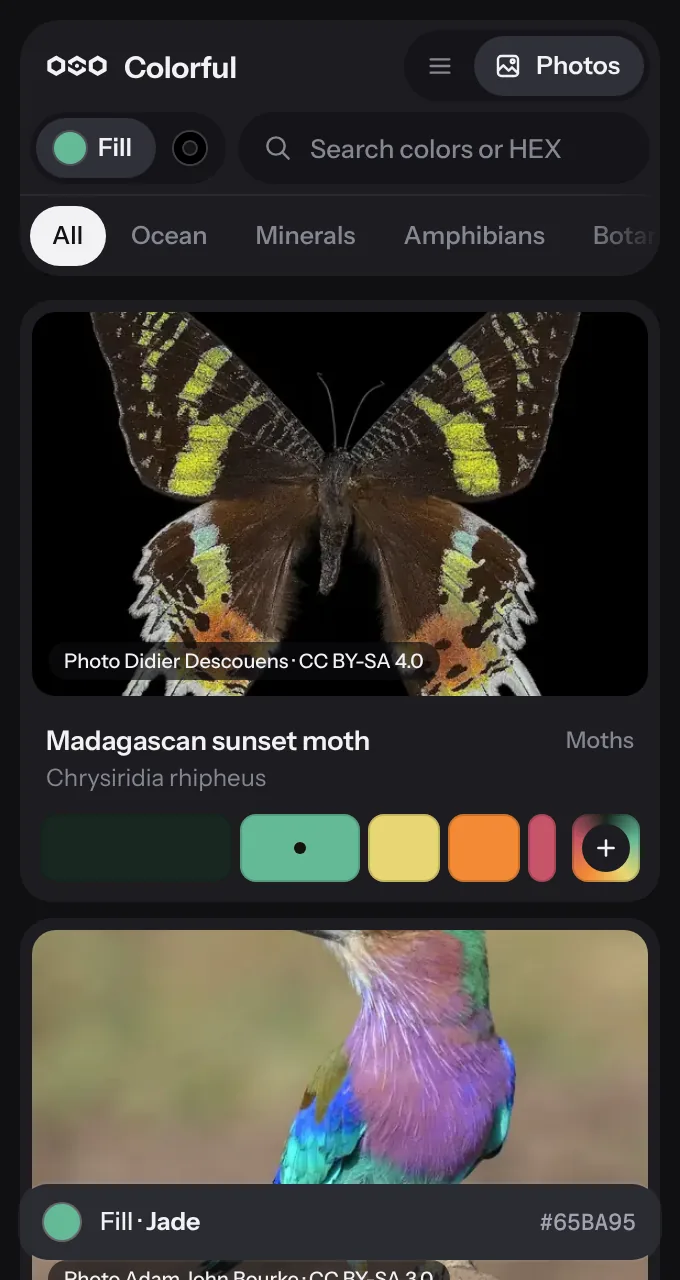
Colorful puts a library of palettes from moths, reefs and minerals inside Illustrator. Click a color to fill a shape, or send a whole palette to Swatches.
Try it
This panel is live.
Click a color to fill the word, or press + to put a whole palette on it.
Now wearing
Mantella Ember
Amphibians · Golden mantella
Inside Illustrator
Float it or dock it. Click a color in the panel and the selected shape takes it.
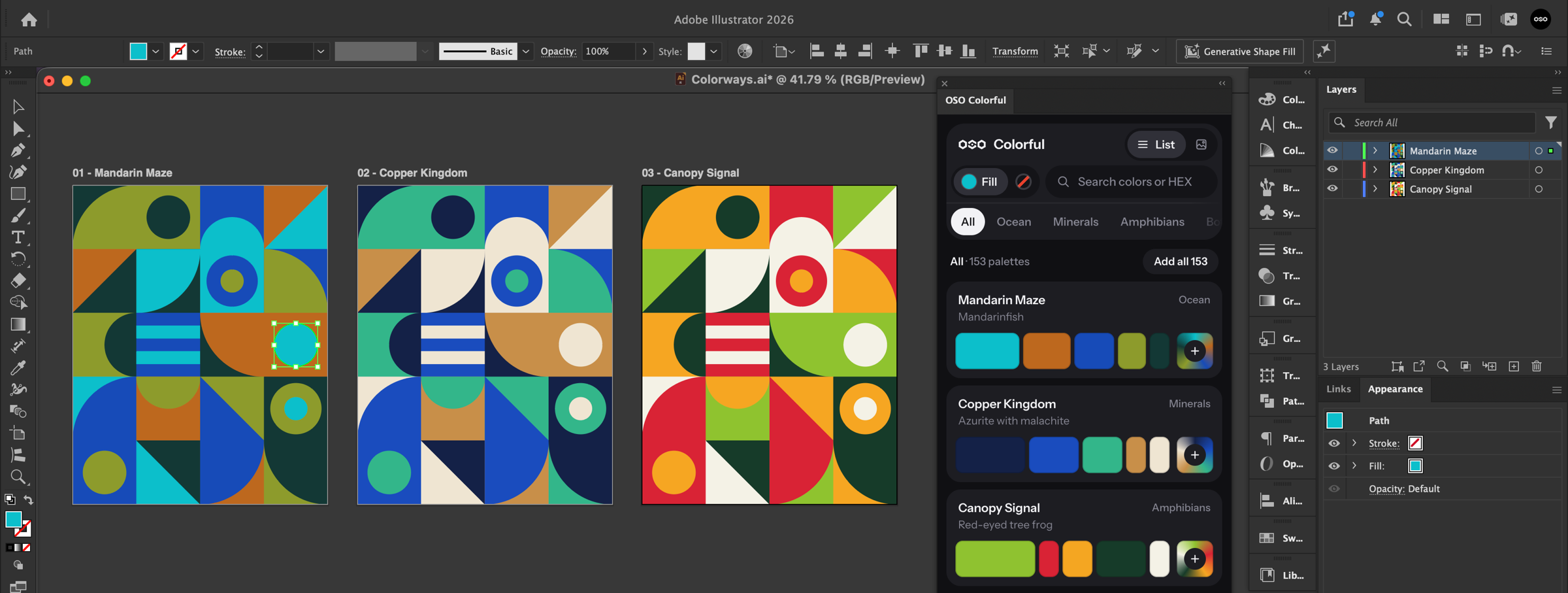
01Fill
Switch to Stroke at the top, or Option-click. Shift-click copies the HEX.
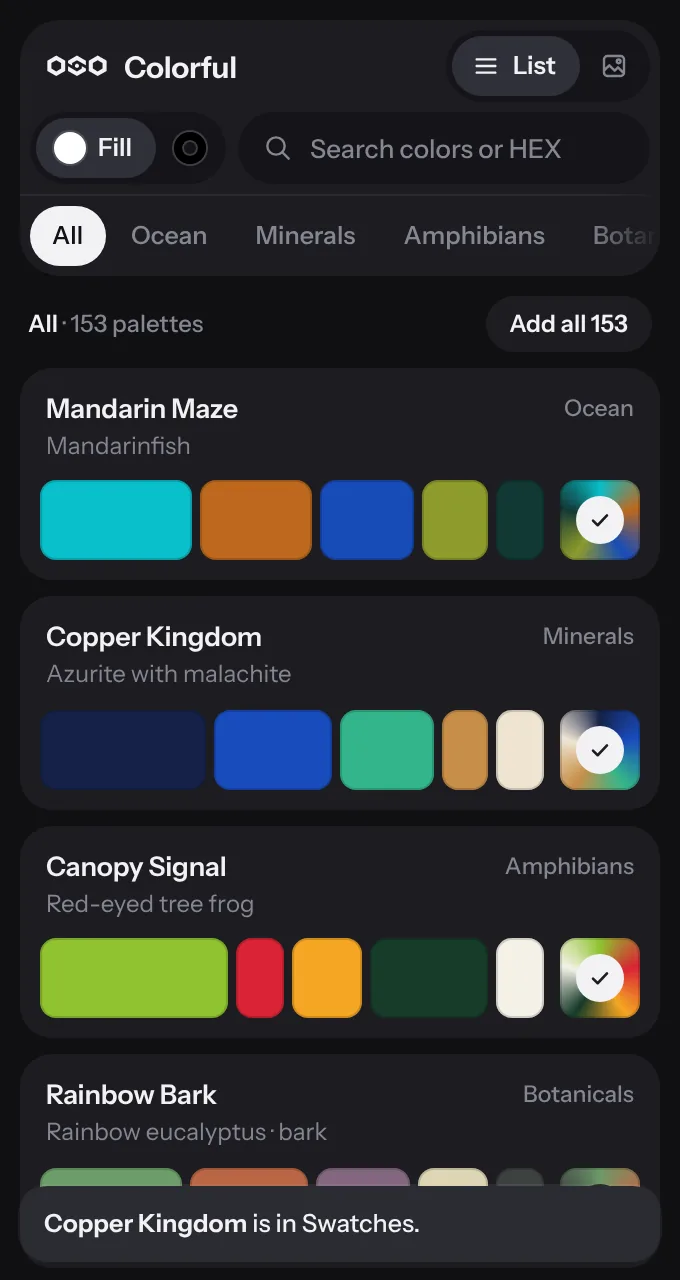
02Swatches
It arrives as a named color group, and every swatch keeps its palette and color name. Add all brings the whole library: 153 groups, 681 swatches.
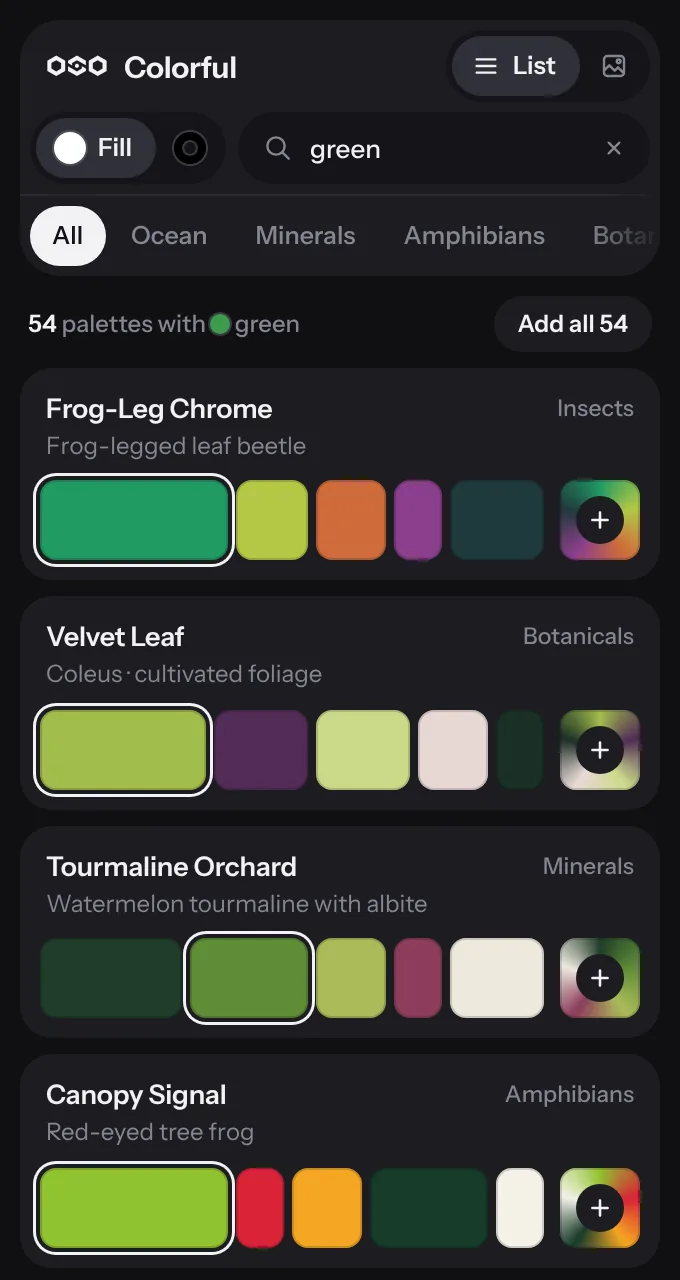
03Search
Type green for the palettes that carry the most green. Paste a HEX for the closest match in the library.
04Flow
Eighteen gradients arrive as real gradient swatches, next to the color group they belong to.
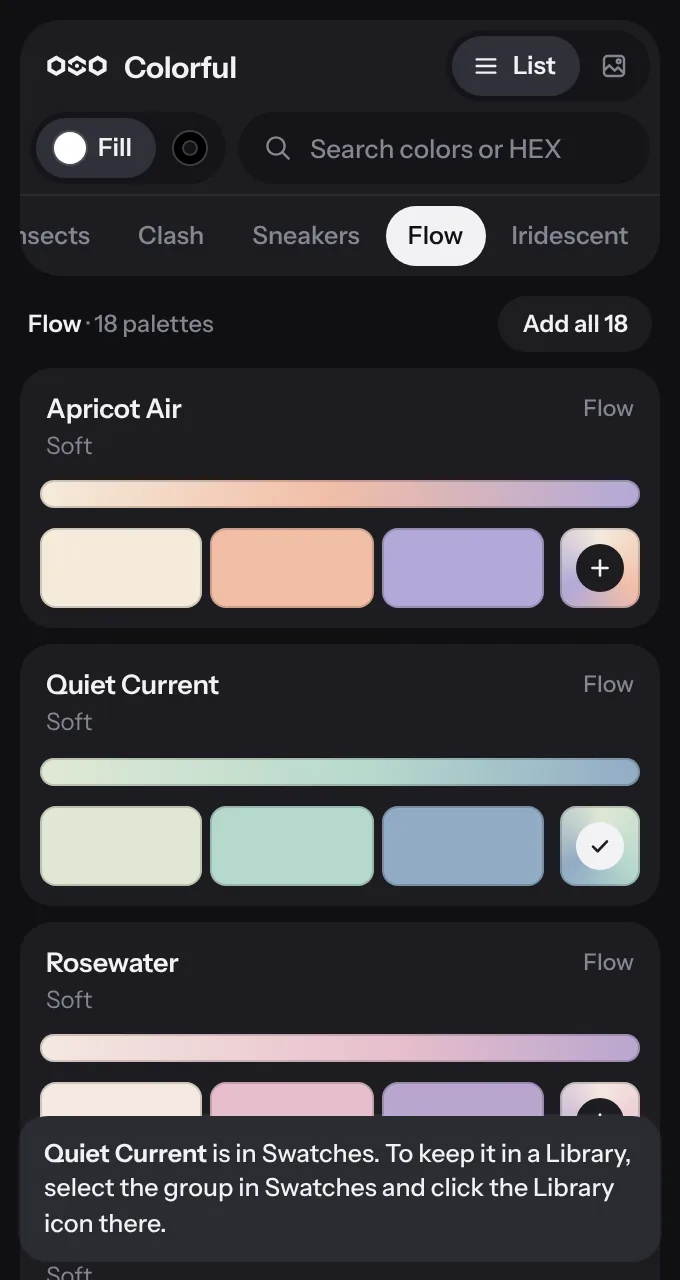
The library
Seventy-five come from nature and materials, each beside a photograph of its subject. Sixty are clashes, four colors that should not work together and do. Eighteen are gradients.
The whole library
Pick one
Every tile is one palette.
Click a tile and this page wears it.
Install
One small file, OSO-Colorful.zxp. No account and no email.
A free installer for Adobe add-ons, made by aescripts. Quit Illustrator, open the installer and drag the file onto its window.
Choose Window, then Extensions, then OSO Colorful. Dock it beside Swatches and it stays there.
Questions
Yes. There is no account, no trial and no email to give.
Adobe does not let outside tools write to Libraries, so the panel does the next best thing. It puts the palette in Swatches as a color group. Select that group, click the Library button at the bottom of the Swatches panel, and it is in your Library. Every palette has three to five colors, which is what a Library color theme holds.
Yes, in RGB and CMYK documents. The palettes are defined in sRGB, so in a CMYK document Illustrator converts each color with your own color settings.
No. Every palette and photograph is inside the panel. It works offline and collects nothing.
No. Each palette is a designer's reading of its subject: the animal, the mineral, the material and its setting. The photograph is there so you can see where the colors come from.
It has been tested on macOS only. Illustrator runs panels like this one on both systems, so it may well work, but until it is tested there this page will not promise it.
Sixty-seven photographers who share their work under Creative Commons and similar licenses. Each photo carries its credit in the panel, and the full list with sources is below.
The photographs inside the panel are used under the licenses listed here. Each was resized and converted to WebP, some were cropped around the subject, and none was recolored. Photos under a share-alike license stay under that same license.


